🚚 Free Worldwide Shipping on All Orders!Shop Now

Shortcut Studio Bridge75 Plus Keyboard
- Aluminum case with ball-catch gasket mount design
- Connect 3 ways- wired with USB-C cable or wirelessly with Bluetooth and 2.4 GHz
- Brush stainless steel weight with a glossy trim
- Sound absorption layers includes INOAC Poron foam, IPXE sheet, EPDM case foam
- Programmable with VIA
- 8000mAh battery
- 1000 Hz polling rate in wired and 2.4 GHz mode
- Cherry profile Double Shot PBT keycaps
- Hotswap flex cut PCB
- Per-key RGB
- Flex cut FR4 plate
- **Due to vendor restrictions, this item can only be shipped within the US.**
- Don't miss out on our Bridge75 Accessories
White, Cream, and Pink are spray coated with glitter.
Bridge75 Plus User Manual
Firmware Update and VIA Instructions
Only install firmware if you are experiencing an issue. Installing incorrect firmware can damage the keyboard. Items damaged by installing incorrect firmware are not covered under our return or repair policy.
Select Color
Select Switch
From $29.66
Original: $84.75
-65%Shortcut Studio Bridge75 Plus Keyboard—
$84.75
$29.66More Images

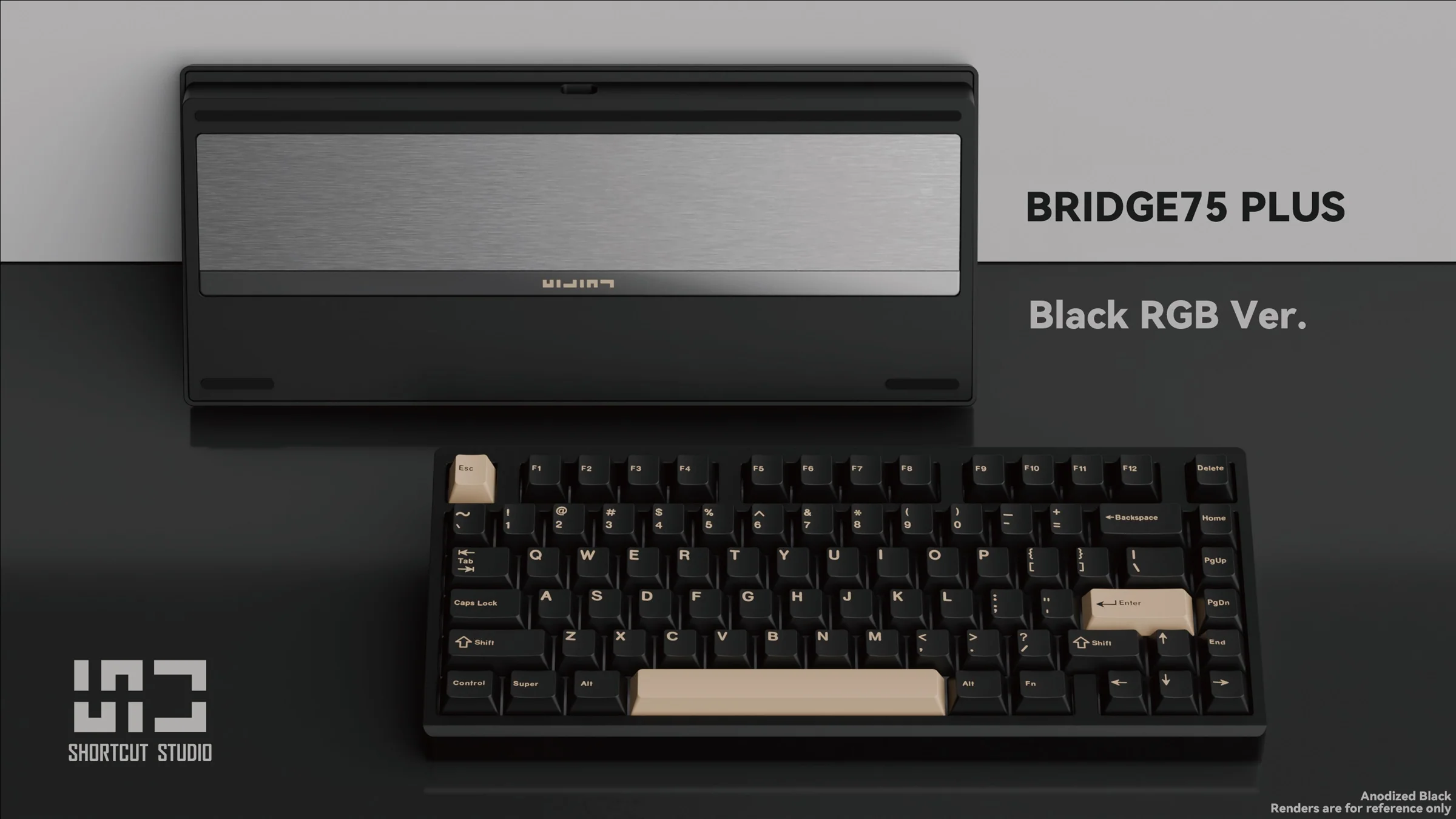


Shortcut Studio Bridge75 Plus Keyboard
- Aluminum case with ball-catch gasket mount design
- Connect 3 ways- wired with USB-C cable or wirelessly with Bluetooth and 2.4 GHz
- Brush stainless steel weight with a glossy trim
- Sound absorption layers includes INOAC Poron foam, IPXE sheet, EPDM case foam
- Programmable with VIA
- 8000mAh battery
- 1000 Hz polling rate in wired and 2.4 GHz mode
- Cherry profile Double Shot PBT keycaps
- Hotswap flex cut PCB
- Per-key RGB
- Flex cut FR4 plate
- **Due to vendor restrictions, this item can only be shipped within the US.**
- Don't miss out on our Bridge75 Accessories
White, Cream, and Pink are spray coated with glitter.
Bridge75 Plus User Manual
Firmware Update and VIA Instructions
Only install firmware if you are experiencing an issue. Installing incorrect firmware can damage the keyboard. Items damaged by installing incorrect firmware are not covered under our return or repair policy.
Product Information
Product Information
Shipping & Returns
Shipping & Returns
Description
- Aluminum case with ball-catch gasket mount design
- Connect 3 ways- wired with USB-C cable or wirelessly with Bluetooth and 2.4 GHz
- Brush stainless steel weight with a glossy trim
- Sound absorption layers includes INOAC Poron foam, IPXE sheet, EPDM case foam
- Programmable with VIA
- 8000mAh battery
- 1000 Hz polling rate in wired and 2.4 GHz mode
- Cherry profile Double Shot PBT keycaps
- Hotswap flex cut PCB
- Per-key RGB
- Flex cut FR4 plate
- **Due to vendor restrictions, this item can only be shipped within the US.**
- Don't miss out on our Bridge75 Accessories
White, Cream, and Pink are spray coated with glitter.
Bridge75 Plus User Manual
Firmware Update and VIA Instructions
Only install firmware if you are experiencing an issue. Installing incorrect firmware can damage the keyboard. Items damaged by installing incorrect firmware are not covered under our return or repair policy.


